E-Verify is a web-based system that allows employers to confirm their employees' eligibility to work in the United States. HigherMe partners with Form I-9 Compliance to integrate E-Verify into the onboarding process so that you can seamlessly verify your new hires and save valuable time before their first day.
| ⚙️ Setting up your E-Verify integration |
|
The E-Verify integration carries a $50 set-up fee and an additional $10 per location per month. You must subscribe to our Paperless Onboarding service in order to use the E-Verify integration. To get set up:
- First, fill out the Form I-9 client services agreement. It will ask you to select the service option(s) you would like to sign up for. Please select E-Verify as your only service option, since HigherMe's onboarding flow already includes the I-9 form.
- After you complete Step 1, you'll receive a signable PDF from Form I-9. Send this signed form to HigherMe at friends@higherme.com. We will then relay your information over to the Form I-9 team for review. This process can take between 3-5 days.
- You will receive an email from the Department of Homeland Security with a memorandum of understanding (MOU) for you to sign. Complete and sign the MOU. Once your MOU is complete, our team will receive an activation code from Form I-9 that we will use to activate your E-Verify integration.
|
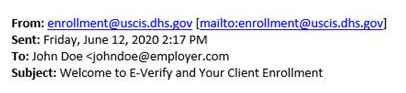 |
| Note: All new users will be asked to take a tutorial and quiz upon running their first E-Verify case! This helps make sure that your team is compliant with E-Verify rules and regulations. |
| ✅ Running your first E-Verify case |
|
Let's look at the 6 steps to verify a new employee's work eligibility:
-
Invite a candidate to onboard. Every new employee you onboard is automatically sent an I-9 form (as well as the federal W-4 and your state tax form). You do not need to add this form manually.
- Once a new hire has completed their portion of the onboarding process, they will enter the employer review stage. Click the Review button next to their name on your Onboarding dashboard to access their documents and screenings.
- At the top of their onboarding record, you'll see a Documents to Review section. Locate the I-9 form and click on Review. Input your employee's work eligibility details and sign.
|
 |
- You'll now be brought back to your new hire's onboarding record. Scroll down to the Screenings section at the bottom of the page and click Start E-Verify.
- To ensure accuracy, you'll be asked to re-enter their work eligibility details from the I-9 form. When you're ready, click Submit to run their E-Verify case.
Once submitted, you will see a case number specific to your new hire. This is useful for auditing purposes or if you need to follow up on the case! Meanwhile, behind the scenes, E-Verify is electronically confirming that your candidate’s information matches their government records.
|
| 👀 Understanding E-Verify case results |
|
Based on E-Verify's findings, you'll see a case response displayed as an icon on your Onboarding dashboard. Hover over the icon for more information, or log into your E-Verify dashboard.
- Not Started means an E-Verify case has not been created for this candidate yet. ⏳
- Authorized means that this employee is eligible to work in the United States – you have the go-ahead to finish onboarding them! 🎉 Close their E-Verify case and finalize their onboarding to activate them as a new hire.
- Tentative Non-Confirmation (TNC) means that additional information is needed to determine this candidate's US work eligibility. ✋ This doesn't necessarily mean that they're not authorized to work – there may just be a mismatch with the DOB, SSN, citizenship status, or name in their records. If you get a TNC status on a new hire, the new hire must decide whether or not to contest the results. You can print instructions from your E-Verify dashboard (log in here) to help your new hire determine next steps.
|
Interested in setting up E-Verify within your HigherMe account? Contact our Support team at friends@higherme.com!
Need help with your E-Verify integration? You can also reach out to Form I-9 Compliance directly at 866-359-4949 or at formi9support@fadv.com.